Unity URP Plugin · Accessibility
Colorblind Simulator
About
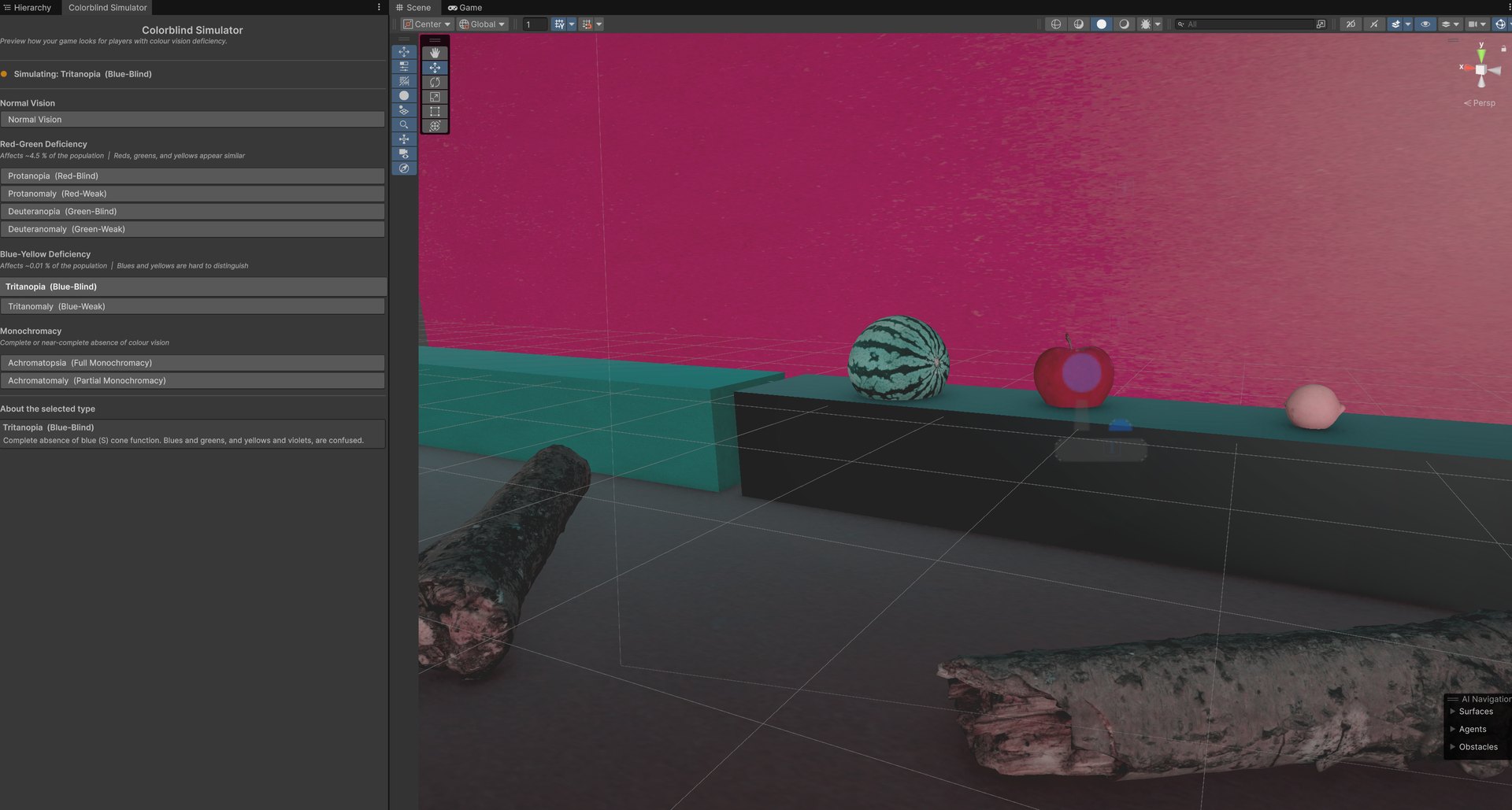
A Unity URP plugin that simulates Color Vision Deficiency (CVD) right inside the editor, so designers can preview how a game looks to colorblind players without ever leaving Unity or entering play mode.
I built it because I kept wanting a fast accessibility check on my own games. It grew out of the accessibility work I love, and I open sourced it (MIT) so other developers can catch colour issues before players ever run into them.
"catch colour issues before players do"
Real-time simulation in the Scene View, powered by the physiologically-based Machado et al. (2009) colour model.
Every kind of colour vision
8 CVD types, one click each.
Complete absence of red cone function. Reds appear dark; red and green are easily confused.
Reduced green cone sensitivity. The single most common CVD, greens appear yellowish.
Complete absence of green cone function. Greens and reds are heavily confused.
Reduced red cone sensitivity. Milder than protanopia; reds appear muted and shifted toward green.
Complete absence of blue cone function. Blues and greens, yellows and violets, get confused.
Reduced blue cone sensitivity. Blue-yellow discrimination is weakened but not entirely lost.
No functional cone cells; the world appears greyscale. Light sensitivity is also common.
Only one cone type partially works. Faint colour sensation exists but is severely reduced.
How it works
No play mode needed — it previews live in the Scene View.
Add the Colorblind Renderer Feature to your URP renderer, or hit the one-click auto-setup button in the window.
Open the simulator via Tools ▸ Colorblind Simulator.
Pick a CVD type and watch the Scene View update in real time.
Under the hood
Key Learnings
Turning my accessibility practice into a reusable tool taught me how to package design intent as something other people can pick up and run with. It bridges my two loves: inclusive design and hands-on tech art, and it lives on past any single project.